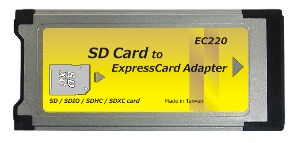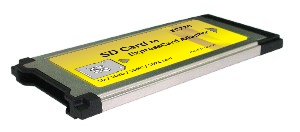




EC220 (SDXC Card Reader)
Introduction:
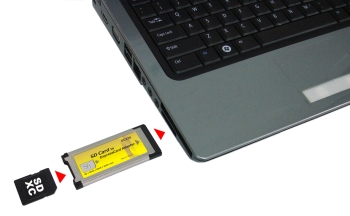
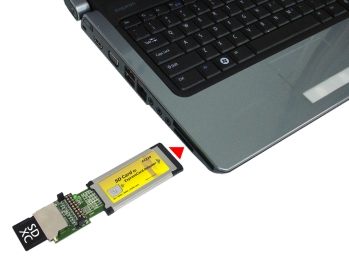
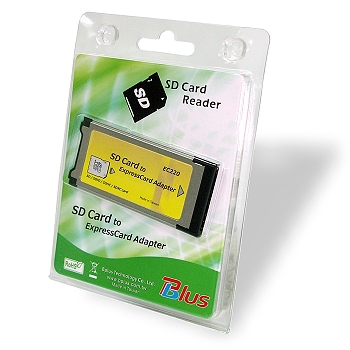
SDXC card to Expresscard adapter design for Ultra high speed (UHS-1) SDXC cards. You can easily add SDXC card to your notebook with 34/54mm ExpressCard slot.
![]() |
![]() |
![]() |
|
![]() |
![]() |
![]() |
![]() |
- Compliant with ExpressCard 1.0 specs.
- Compliant with PCI Express Base Specification rev 1.1
- Compliant with SD Memory Card Specification Version 3.0
- Supports Ultra High Speed Type 1 (UHS-1)
- Supports DS/HS/SDR12/SDR25/SDR50/SDR104 operation modes
- Supports Ultra High Speed SD Clock (Max. frequency is 200MHz)
- Supports variable sampling clock for SDR50 and SDR 104 (Tuning command)
- Supports SD Extended Capacity (SDXC)
- Support SD High Capacity (SDHC)
- Compliant with SD Host Controller Standard Specification Version 3.0
- Compliant with MMC MultiMediaCard Specification Version 4.1
- Supports MMC Plus and MMC Mobile. (4bit only)
- Operation current is 800mA for SD UHS-1
- Integrate 3.3v-to-3.3v/1.8v power switch for SDA3.0 IO power
Specification
- To use SD / SDHC/ SDXC Cards on Windows XP/VISTA/7 your system requires install RICOH private driver for more compatibility (download here). Otherwise your SD cards can’t work properly.
- To use SD / SDHC / SDXC Memory Card Formatting Software, Please download file from SDCARD.org web-site as below:
http://www.sdcard.org/consumers/formatter_3/
Please backup your data before using the formatting program.
Notice
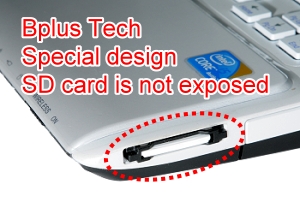
| EC220 Special design |
![]() |
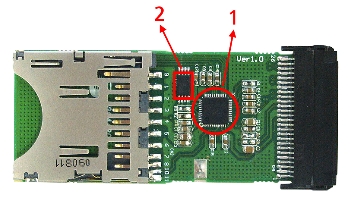
| 1. RICOH R5U220 PCIe bridge controller. |
| 2. Serial EEPROM for code upgradeable. |
| 3.Hi quality SD push-push connecter. |
| 4. Expresscard 26PIN connecter. |
Box Contents:
ExpressCard/34 SDXC adapter
-
System Requirements:
- Notebook or desktop PC with an available ExpressCard slot.
- Windows 7 (32-/64-bit) / Vista (32-/64-bit) SP2 or later/
XP (32-/64-bit) SP3 or later
EC220 Ver1.0 |
||||
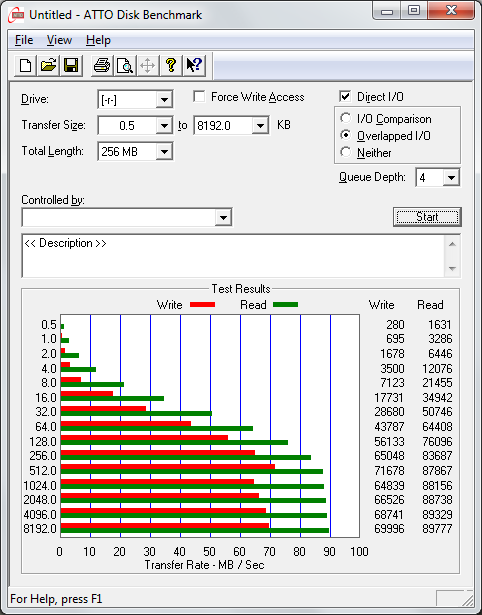
EC220 TEST |
San Disk |
TOSHIBA Class 10 SDHC 8GB |
San Disk UHS-1 SDXC 8GB |
TOSHIBA UHS-1 SDXC 64GB |
Read (MB/S) |
22.31 MB/S |
22.27 MB/S |
41.33 MB/S | 60.73 MB/S |
Write (MB/S) |
6.488MB/S |
18.63 MB/S |
36.98 MB/S | 36.64 MB/S |
| SanDisk Extreme Pro SDHC UHS-I Test information provided by the Krzysztof Chodak, Mr. ![]() |
||||
| EC220 Package Contents | |
| Unit price: US$ 20 | |
EC220
(SDXC Card Reader) x1![]() |
|
| SDXC Card Development Tools Package Contents | |
| Unit price: US$ 70 | |
| EC220 (SDXC Card Reader) x1 ![]() |
XCEX (SDXC Card Extender Board ver1.0)![]() |
option |
|||||||
Notice: |
|||||||
| Documents Download | |||
| EC220 Brief | |||
| SD cardreader comparison | |||
| To use SD / SDHC/ SDXC Cards on Windows XP/VISTA/7 your system requires install RICOH private driver for more compatibility (download here). Otherwise your SD cards can’t work properly | |||
| To use SD / SDHC / SDXC Memory Card Formatting Software, Please download file from SDCARD.org web-site as below: http://www.sdcard.org/consumers/formatter_3/ Please backup your data before using the formatting program. |
|||